


I was sitting at my desk, preparing for my second job change in two years, when I found myself saying something out loud to no one:
“Thank you.”
I was talking to a version of me from twelve months earlier. The one who documented every interview question, every coaching session, every lesson learned. Notes I’d completely forgotten I’d written — but there they were, exactly when I needed them.
That moment taught me something: note-taking isn’t about productivity. It’s about compounding. Every note is a small investment in your future self.
But I didn’t always think this way. For years, my notes were scattered across apps, half-organised, half-forgotten. It took an Evernote to Obsidian migration — and a philosophy called “digital bankruptcy” — to turn a messy habit into a system.
Let me start at the beginning: the instinct.
I’ve always been the person who writes things down. Not in a meticulous, colour-coded way, but as a reflex. A course I took, a conversation that stuck, a half-formed idea. I didn’t have a system. I just had a habit.
Years later, I took the Gallup StrengthsFinder assessment and discovered why. My top talents include Arranger — “you can organise and prioritise tasks while remaining flexible” — and Individualisation — “you appreciate the unique qualities of each person and situation.”
Of course. That explained the notes. Not rigid categorisation, but constant rearranging, looking for shape. And it explained why I never wanted someone else’s system. I wanted mine.
The Evernote Years 🐘
I came across Evernote through Tim Ferriss’s blog. Back then, if Tim recommended something for productivity, you paid attention. So I tried it.
It worked. Fast. Reliable. It remembered things when I didn’t.
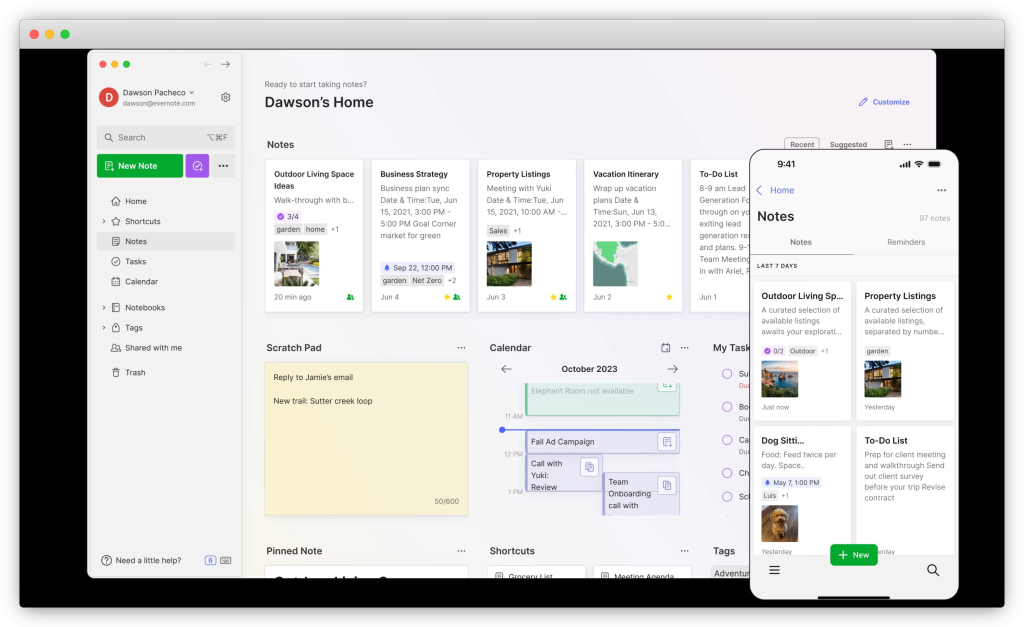
Around the same time, my friend Michael Sliwinski — CEO of the to-do app Nozbe — was also a big fan. He even built a special integration to link Evernote directly with Nozbe. I was already a devoted Nozbe user (and still am), so this created a powerful tandem: tasks in Nozbe, reference material in Evernote, everything connected.
Over the years, Evernote became the place where everything landed: work notes, personal thoughts, random ideas, half-finished plans. It slowly became the default.
And defaults are dangerous, because you stop questioning them.
Then Evernote changed.
I remember the day it hit me. I was standing in a coffee queue, trying to pull up a note I’d made that morning. My phone wouldn’t sync. I’d hit the device limit — Evernote now only allowed the app on one or two devices. My phone, my tablet, my laptop: I had to choose which two could access my own thinking.
That was the moment I realised: these weren’t really my notes. They lived in Evernote’s system, on Evernote’s terms. And Evernote had just changed the terms.
Then came limits on the number of notes. Then storage caps.
I can’t point to a single moment when I decided “this is over.” But the coffee queue came close. The tool that was supposed to serve my thinking was now getting in the way of it.
I needed to change something.
The Drafts Chapter 🗒️
I tried a few alternatives. iA Writer. Bear. They were good apps — iA Writer especially, with its clean, uncluttered interface for focused writing. But that wasn’t what I needed.
I wasn’t looking for a writing app. I was looking for a capture tool. Something I could use from everywhere — phone, tablet, watch, laptop — with zero mental cost. Open it, type, done. No decisions about where to save it. No formatting choices. Just capture.
I also wanted automation potential. A way to take that captured text and send it somewhere useful without manual steps.
Most apps at the time didn’t offer both. Seamless sync across devices and the ability to automate? That combination was rare.
Then I found Drafts.
The first time I opened it, there was no onboarding tutorial, no feature tour. Just a cursor blinking on an empty page, ready for me to start typing.
That simplicity was the point.
Drafts wasn’t trying to be my filing cabinet or my second brain. It was, and still is, a capture tool — fast, frictionless, and completely focused on getting thoughts out of my head and onto the screen.
But the real magic was the sync. In the Apple ecosystem, Drafts synchronises almost instantly between devices. I could start writing something on my iPhone while waiting for coffee. By the time I sat down with my iPad, it was already there. When I got to my desk and opened my Mac, same thing. No manual saving, no “sync now” button. It just worked.
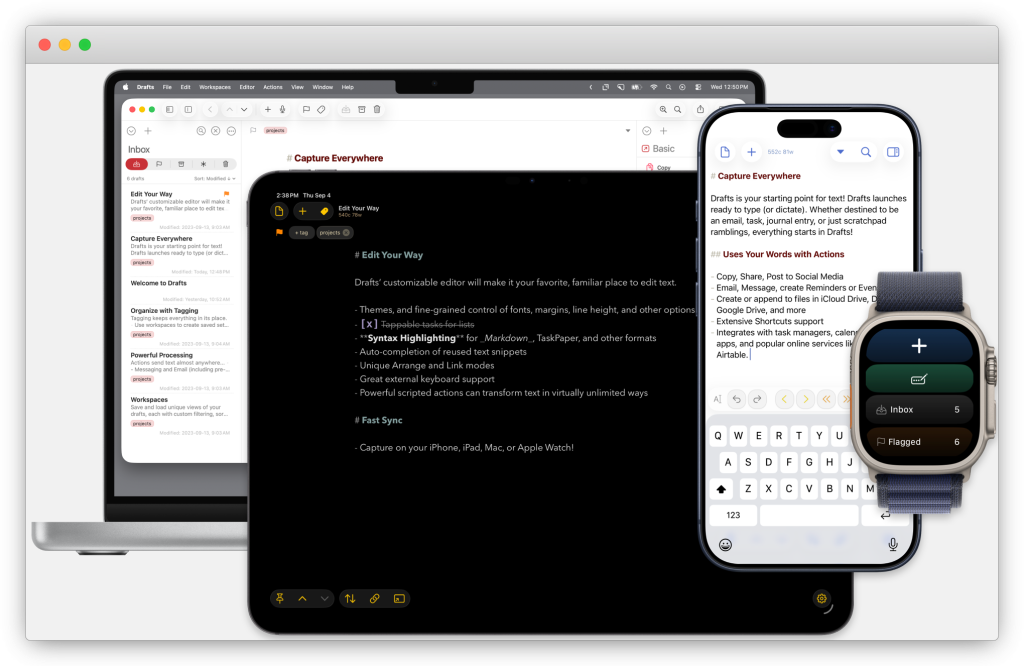
For someone whose notes live across three devices, this was everything.
Drafts also introduced me to a different way of thinking about text. Through something called x-callback-url and built-in “actions,” I could take a draft and send it anywhere: to my to-do list, to an email, to WordPress, even to Twitter as a thread. The app wasn’t a destination — it was a launchpad.
I started using Drafts not just for quick notes, but for everything. Blog posts started there. Podcast descriptions. Meeting notes. Even this piece you’re reading now began as a blinking cursor in Drafts.
But here’s the thing about using a capture tool as your main system: eventually, you have notes everywhere. Evernote still had years of my thinking. Drafts was accumulating new ideas daily. And I started to feel the weight of it — fragments scattered across apps, no unified home.
I needed to bring everything together.
The Obsidian Moment 🌐
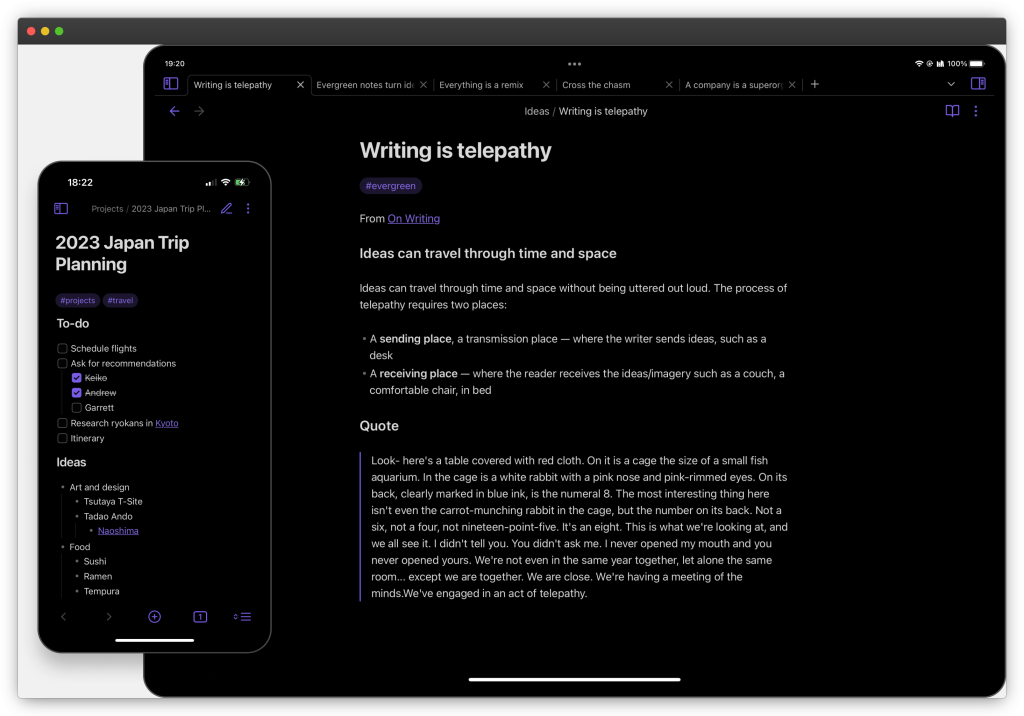
I didn’t move to Obsidian because of features.
I moved because it didn’t try to impress me.
Obsidian stores everything as plain Markdown files in a folder on your computer. No proprietary database. No cloud lock-in. If Obsidian disappeared tomorrow, I’d still have my notes — readable in any text editor, on any device, forever.
This philosophy has a name: “file over app.” I first encountered it through Steph Ango, the CEO of Obsidian, who writes about building digital artifacts that outlast the tools used to create them. His vault template and approach became my starting point.
The idea hit me hard. For years, my notes had lived inside applications. Evernote’s format. Drafts’ sync. I could use them, but I didn’t truly own them. If the company changed pricing, changed direction, or shut down — my thinking went with it.
With Obsidian, the relationship flipped. The app serves the files, not the other way around.
That was the moment everything slowed down. I wasn’t choosing a new home for my notes. I was choosing to remove the middleman.
The Evernote to Obsidian Migration 🗂️
Now came the hard part: bringing everything together.
I had years of notes in Evernote. Hundreds of drafts in Drafts. And I wanted them all in one place — my Obsidian vault.
Evernote was the bigger challenge. The export format (ENEX) isn’t exactly friendly. I ended up writing a Python script to convert notes to Markdown, handle attachments, and preserve what mattered. It wasn’t pretty, but it worked. Some tables broke. Some formatting didn’t survive. That was fine. The goal wasn’t a perfect copy — it was “good enough to move forward.”
Drafts was different. I migrated semi-manually, which sounds tedious but turned out to be valuable. I created an “action” in Drafts that exported each note directly to my Obsidian vault as a Markdown file. Then I went through my drafts one by one.
And this is where “digital bankruptcy” came in.
Digital Bankruptcy 🧹
Digital bankruptcy is the idea of starting fresh — deleting the accumulated clutter of notes, tasks, and half-finished ideas that weigh you down. Not because they’re bad, but because carrying everything forward creates its own kind of stress.
During the Drafts migration, I didn’t just move notes. I read them. And I asked a simple question: does this still matter?
Many notes didn’t. Old ideas that never went anywhere. Reminders for things long completed. Drafts that made sense at the time but meant nothing now.
I archived them. Deleted them. Let them go.
This wasn’t data loss. It was editing.
Migration forced me to re-read my own thinking. It showed me what still mattered and what was just noise. It gave me permission to let go.
Only the meaningful notes made it across. The ones that survived weren’t just files — they were decisions. Each one earned its place.
My Obsidian Note-Taking System Today 🔎
What emerged from this process isn’t just a folder of notes. It’s a system — but a calm one.
Following Steph Ango’s approach, I organised everything around tags rather than folders. No more “Work > Projects > 2024 > Q3” hierarchies. No more asking “where does this go?” I just write. Tag it. Move on.
This solved what I call “folder anxiety” — that paralysis of deciding where something belongs. Now, when I need to find something, I search. When I want to see all my book notes, or all my trip memories, or all my newsletter ideas — the system filters them for me. The notes don’t move. The views do.
And because everything is just text files in a folder, I own it completely. I can back it up, sync it, search it with any tool. If Obsidian disappears tomorrow, my notes survive.
The Arranger in me finally has a system that flexes. The Individualisation in me finally has a system that’s mine.
(If you want the technical details — the metadata schema, the automation, the specific plugins — I’m happy to write about that separately. But that’s implementation. The principle is simpler: write first, organise later, own everything.)
The Payoff 🤝
Couple of years ago, after fourteen years at Cisco, I decided to change jobs. It was a big move — the kind that makes you question everything. And because I’m the person who writes things down, I documented the entire process.
Questions to prepare before interviews. Questions I was asked and how I answered. What worked, what didn’t. Which companies I reached out to, who responded, how the conversations went. I even worked with a professional coach during this period, and I took notes from every session.
I got the job. Joined a startup. New chapter.
Then, one year later, I changed jobs again.
When I started preparing, I opened my notes from the previous job hunt — and everything was there. The frameworks I’d developed. The questions that tripped me up. The answers that landed well. The coaching insights I’d already paid for and internalised.
I didn’t have to start from scratch. Past-me had done the work. Present-me just had to build on it.
I found myself reading through old interview prep notes, rediscovering things I’d completely forgotten I knew. An answer that had landed well. A question I’d learned to ask. A coaching insight about how I show up under pressure.
That’s when I said it: “Thank you.”
Not ironically. Not performatively. Just gratitude — to a version of me who took the time to write things down, not knowing he’d need them again so soon.
Most notes won’t pay off like this. But the ones that do — they pay off enormously.
Lessons Learned From This Coffee Journey ☕️
- Defaults are dangerous. The tools that “just work” can quietly stop working for you. Question them regularly.
- Ownership beats convenience. If your notes live inside someone else’s system, they’re not fully yours. Formats outlast apps.
- Migration is editing. Moving notes isn’t just copying files — it’s a chance to ask “does this still matter?” Let digital bankruptcy clear the weight.
- Capture first, organise later. A blinking cursor on an empty page beats a complex system you won’t use. Reduce friction for your future self.
- Your notes are letters to the future. You don’t know which ones will matter. Write them anyway. One day, you might thank yourself out loud.
One More Thing 💪
If you want to explore the “file over app” philosophy and vault structure that inspired my system, start with Steph Ango’s guide: How I Use Obsidian.
What about you? Do you have a note-taking system, or does it feel more like organised chaos? I’d love to hear what works for you — and what doesn’t. Drop a comment or reply to this post.
Life should be like a good cup of coffee: made with love, enjoyed while hot, full of delicious flavour, and shared with someone we care about. Sometimes, so should our notes.
Thanks for reading!
If you enjoyed this article, feel free to share it on social media and spread some positivity, and join my newsletter.