
Contents ☕
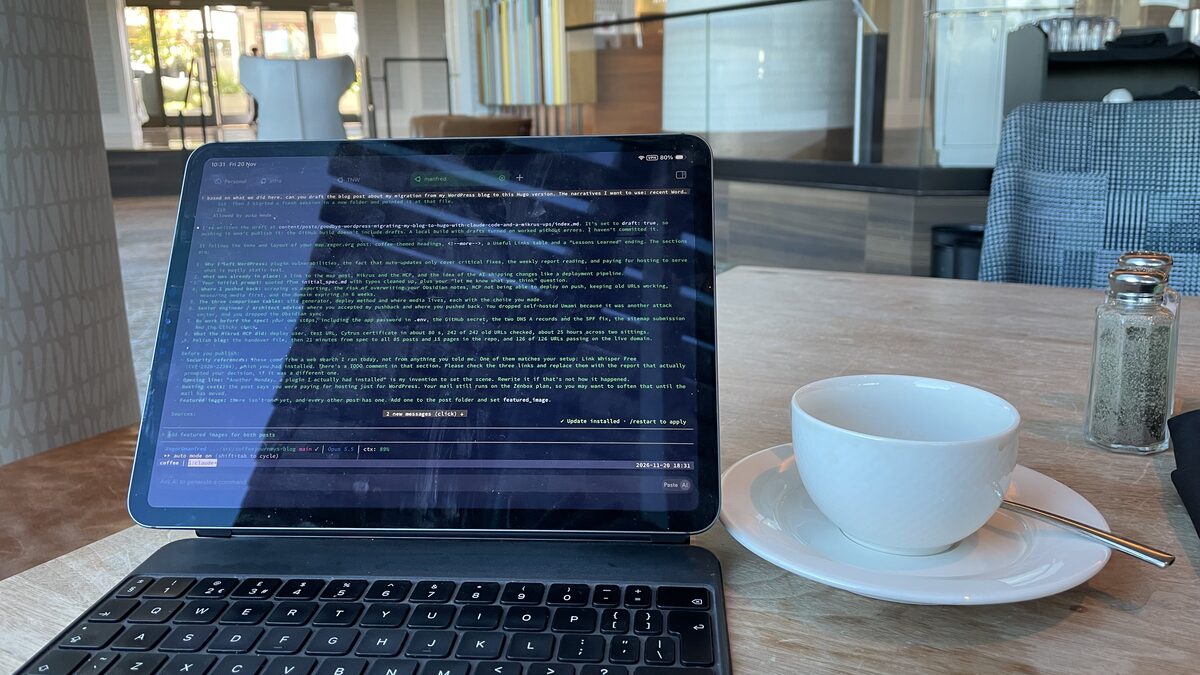
Another Monday, another coffee, another WordPress vulnerability report in my inbox.
I had read that kind of email many times before. A plugin I’d never heard of, a CVSS score of 9.8, “update immediately”. This time one of the plugins on the list was one I actually had installed. My site had automatic updates for critical vulnerabilities switched on, so I wasn’t in a panic. I was tired of it, though.
This post is about how that tiredness turned into a two-sitting project. coffeejourneys.blog no longer runs on WordPress. You’re reading a static site built with Hugo from plain Markdown files in a GitHub repo, served from a small VPS in Poland. An AI assistant did most of the heavy lifting.
The Bitter Aftertaste: Why I Left WordPress
WordPress served me well for years. My problem was never WordPress core. It was everything around it.
A blog like mine slowly collects plugins: SEO, image optimisation, popular posts, related posts, internal linking, an old newsletter form. Each one is a bit of PHP that somebody else maintains, running on a server that answers to the whole internet.
The reports keep coming. A few from this year alone:
- Liquid Web’s February 2026 report listed an unpatched PHP object injection flaw in Link Whisper Free (CVE-2026-22384). I had Link Whisper installed.
- Sucuri’s March 2026 roundup listed an unauthenticated broken access control flaw in a Mailchimp plugin with over a million installs, and a code execution flaw in W3 Total Cache with no fix available at the time.
- Heise reported critical flaws in two popular plugins, one of them already being exploited in the wild.
To be fair, I wasn’t exposed. Auto-updates for critical vulnerabilities were on. But “auto-update for critical” only covers the critical ones. Everything else was still my job:
- reading the weekly reports,
- checking whether any of my plugins were on the list,
- deciding whether a “medium” problem was really medium for my site,
- and paying for hosting just to keep a PHP application and a database alive so they could serve what are, honestly, mostly static articles.
The question I couldn’t get past was simple: why am I running and patching an application when what I publish is text and pictures?
A static site has no admin panel, no login page, no database and no plugins. There’s nothing to update at 2 a.m. The web server serves files, and that’s it.
The House Blend I Already Had
I didn’t start from zero. A month earlier I wrote about building a live map of my corner of London, now running at map.zagor.org. That project laid the groundwork for this one:
- a cheap Mikrus VPS,
- the Mikrus MCP server, which lets Claude Code run commands on the server, upload files and manage domains,
- and a way of working where the AI assistant ships changes the way a deployment pipeline in an IT department would.
The map showed me that an assistant can take an idea all the way to production on its own server. A blog migration felt like the obvious next step, and a good test of whether the approach holds up for something that has to keep 200+ existing URLs working.
The Order at the Counter: My Initial Prompt
As with the map, I didn’t polish the brief. Here’s roughly what I wrote, typos removed:
I would like to explore the idea of my blog migration. I use WordPress
and I host my blog with a Polish hosting company.

I want to download all my blog posts as well as the pages and have them
as markdown pages. I already have them (or most of them) in my Obsidian
vault. Part of the process will be to use what is on the blog as the
source of truth to swap all existing notes in Obsidian.

I see the process as follows:
- check the sitemap file for blog and pages
- check the blog structure checking the main page
- plan to download all text content
- plan to download images and PDFs linked from pages
- explore possible mechanisms that build the live website from markdown
- have all text content synced to a GitHub repo
- make sure that changes in GitHub reflect on the live website
- propose what to do with non-text content (GitHub + hosting machine?
  some cloud bucket?) - I prefer not to pay more than I already do.
  I have Google Cloud.
- I already have a VPS that hosts zagor.org. It used MCP to deploy
  the site. I would expect to use the same mechanism.

Based on the above, build the spec with a proposal or a few proposals
with pros and cons.
Then I asked: “Read it and let me know what you think.”
That last sentence matters. I didn’t say “do it”. I asked for an opinion first.
Cupping Session: Where Claude Pushed Back
The reply wasn’t “Great plan, let’s go!” It started with what was good (discovery first, reusing what I already pay for, Markdown in Git) and then went straight to the problems. Some of them were exactly the kind of thing I’d expect a good senior engineer to say in a design review:
- “Export, don’t scrape.” My plan said “check the sitemap” and “download content”. Claude suggested using the WordPress REST API with an Application Password instead, so we’d get raw post content and clean metadata (dates, slugs, categories, featured images) rather than HTML wrapped in theme markup.
- “Overwriting your Obsidian notes is the riskiest step.” I had casually written “swap all existing notes”. Claude pointed out this could destroy newer drafts and asked for a backup, a comparison report and a review before anything was replaced. (In the end I dropped the Obsidian sync altogether. More on that below.)
- “Deploying via MCP and ‘GitHub changes go live’ don’t fit together.” This was a good catch. MCP is something the assistant uses interactively, so nothing runs it when I push a post from my laptop. If a push should update the site, something like GitHub Actions has to do the deploy. MCP stays useful for setting up the server.
- “Keep the URLs working.” Every old link, in Google and on other people’s sites, should land somewhere sensible. That meant matching the WordPress permalinks and writing redirects for the rest.
- “Measure the media before choosing where it lives.” No point designing a cloud bucket setup before knowing how many gigabytes we’re talking about.
- “Your domain expires in six weeks.” Discovery found that
coffeejourneys.blogexpires on 2 January 2027. Not a migration problem as such, but exactly the kind of thing that ruins a December.
None of these were deal-breakers. Every one of them made the plan better, and a few would have hurt if I’d found them halfway through.
Comparing Beans: The Options, With Pros and Cons
Next came discovery. Claude read the sitemaps and the REST API (read-only, nothing changed) and found 110 posts, 183 pages and 413 media files, about 185 MB of originals. It turned out most of my “pages” were really “now” snapshots, newsletter issues, and 76 short links like /cv/ and /meet/ that just pointed elsewhere.
Then it wrote a spec with options for each decision. Here are the three tables that mattered most.
Which static site generator?
| Hugo | Astro | Eleventy | Quartz | |
|---|---|---|---|---|
| Install | single binary | Node | Node | Node |
| Build speed (~300 pages) | under 1 s | ~10 s | ~5 s | ~10 s |
| Keep WordPress URLs, incl. nested pages | easy | easy | easy | awkward |
| Image resizing built in | yes | yes | plugin | limited |
| Theming effort | medium (Go templates) | low–medium | medium | low, but a “digital garden” look |
| Long-term maintenance | very low (no npm) | medium (npm churn) | low–medium | medium |
Choice: Hugo. One binary, no dependency churn, and it handles a URL-preserving blog with several sections very well.
How does a push become a live site?
| A. GitHub Actions → rsync | B. VPS pulls and builds | C. MCP deploy (the zagor.org way) | |
|---|---|---|---|
| Push → live automatically | yes, about a minute | yes, on a timer or webhook | no, I ask Claude to deploy |
| New secrets | SSH deploy key in GitHub, locked to one folder | read-only GitHub key on the VPS | none |
| Load on the VPS | none | builds on 1 GB RAM (fine) | none |
| Where failures show up | GitHub UI | logs on the VPS | the chat |
| Rollback | switch a symlink | same | same |
Choice: A, with C as the manual fallback. Both use the same release folder layout, so either one works at any time.
Where do images and PDFs live?
| Option | Cost | Pros | Cons |
|---|---|---|---|
| In the Git repo, next to each post | free | one source of truth, versioned, deployed with everything else | the repo grows (~200 MB today) |
| Git for text, media synced separately | free | small repo | two things to keep in sync and back up |
| Cloudflare R2 bucket | free up to 10 GB | offloads the VPS, CDN | new account, card required |
| Google Cloud Storage | free tier: 5 GB, US only | I already have GCP | billing account attached, egress costs, slower from Europe |
| Git LFS | free 1 GB | — | every CI checkout eats the bandwidth quota |
Choice: in the repo. At 185 MB, anything else is over-engineering. We’ll look at R2 if it ever passes a gigabyte or two.
The Barista and the Café Owner: My Advice, Again
I gave this tip in the map post and I’ll repeat it, because this project proved it again:
Treat the AI as a senior engineer, and yourself as the architect.
A senior engineer knows a lot, works fast and has opinions. They’ll tell you when your plan has a hole in it. But they don’t own the product. You do. The architect’s job is to know enough to push back, or to accept a risk knowingly.
This went both ways in this project.
Where I accepted Claude’s push: export through the API, GitHub Actions instead of MCP for routine deploys, media in the repo, Hugo.
Where I pushed back:
- Analytics. When I asked whether the SEO data was preserved, the conversation moved on to analytics. Claude compared Umami and Plausible, and I agreed to try self-hosted Umami on the VPS. A few minutes later I stopped it: “let’s revert this Umami thing. It exposes another attack vector, I will use Clicky instead.” I’d just left WordPress to get rid of a running application and a database. Adding a new one for page view counts made no sense. Claude rolled it back and later purged the database from the server.
- Obsidian sync. The original idea was to make the blog the source of truth for my vault. Claude built a read-only comparison script and the numbers looked fine. But once the posts lived in GitHub, the sync no longer had a job to do. I dropped it, and Claude struck it out of the spec rather than quietly forgetting it.
Neither of these was Claude being wrong. They were trade-offs, and trade-offs are the architect’s call. The assistant’s job was to make them visible. Mine was to decide.
No Brewing Before the Recipe Is Written
This is the part I’d recommend most: we didn’t touch anything until there was a full spec and a plan.
The spec (SPEC.md in the repo) covered goals and non-goals, the discovery results, the options above, a step-by-step migration pipeline, a cut-over plan with a rollback, and an explicit list of decisions needed from me. It was updated as we went, so it ended up as a record of what we actually did, not what we first thought we’d do.
It also spelled out what I had to do myself. The assistant can do a lot, but some things need a human with the right logins:
- Create a private GitHub repo.
- Create a WordPress Application Password and put it in a local
.envfile (which Claude added to.gitignorefirst, and never printed). - Add the deploy key as a secret in GitHub.
- At cut-over time, change exactly two DNS A records in my DNS panel (apex and
www), and leave MX, TXT and NS alone. - Fix the SPF record. This one I wouldn’t have spotted. My SPF record used
a, which after the DNS change would have allowed the shared Mikrus front-end IP to send mail as my domain. Claude flagged it in the cut-over runbook. - Submit the new sitemap in Google Search Console, and confirm Clicky shows visits.
Each step said what to change, where, and how Claude would verify it afterwards. When I wrote “DNS changed, add the domain”, Claude checked the authoritative name server first, then added the domain.
The Heavy Lifting: Mikrus and Its MCP
Here’s what the Mikrus MCP server made possible without me opening a single SSH session:
- Checking the server first: disk, RAM, which ports were already taken (port 20157 is the live map, so the blog shares nginx on 30157 as a second virtual host next to zagor.org).
- Testing the risky assumption early: does the Mikrus front pass the original domain name through to nginx? Claude put up a test site on a free subdomain and confirmed it does, before any of the design depended on it.
- Setting up a locked-down deploy user: GitHub Actions logs in as
deploywith a key that can only upload into one folder and switch thecurrentsymlink. Nothing else. - Wiring the domain: adding
coffeejourneys.blogto Mikrus Cytrus, which issued the HTTPS certificate about 80 seconds later.
Meanwhile, on my laptop, Claude wrote the export and conversion scripts, built a Neve-like theme so the site still feels like mine, reproduced the Yoast SEO titles and descriptions (194 out of 194 titles match), generated over a hundred nginx redirects for old URLs and short links, and ran a URL parity check: all 242 old URLs return a page or an intentional redirect.
Every change is a commit. Every push builds and deploys in about a minute. Each release is a timestamped folder, so a rollback is a symlink away. And WordPress is still sitting untouched at the old host for a few weeks, as the ultimate rollback.
The first message went in early on a Thursday morning. The site went live on the real domain early on Friday, about 25 hours and two sittings later.
A Second Cup: The Polish Blog
I also run a Polish blog, tatonawyspach.co. Once coffeejourneys.blog was live, I asked Claude whether we should do the same there.
It wrote a handover file for the new project: what I needed to prepare (repo, app password, .env), which scripts and configs to copy, what to adapt, and, most usefully, the mistakes from the first migration not to repeat. An rsync flag that quietly made every deploy a full 226 MB copy, 76 “pages” that turned out to be short links, the Umami detour.
Then I started a fresh session in a new folder and pointed it at that file.
The difference was huge. The discovery and spec were committed at 05:04. By 05:25 the Hugo site, converter, deploy pipeline and all 85 posts and 15 pages were in the repo. The cut-over followed later that day, with all 126 old URLs checked against the live domain. Most of the time went on the decisions only I could make, not on building anything.
That’s what a good spec and a written-down set of lessons buy you. The second migration wasn’t a new project. It was a re-run of a known recipe.
Useful Links
| Category | Description | Link |
|---|---|---|
| Previous post | Building the live map | Forest Edge Live Map |
| Hosting | Mikrus VPS by Jakub Mrugalski | https://mikr.us/ |
| AI assistant | Claude Code | https://claude.com/claude-code |
| Site generator | Hugo | https://gohugo.io/ |
| Analytics | Clicky | https://clicky.com/ |
| Vulnerability reports | Wordfence Intelligence | https://www.wordfence.com/threat-intel/ |
Lessons Learned From This Coffee Journey
- Your attack surface is what you run, not what you publish. If your content is text and images, you probably don’t need a database and plugins to serve it.
- Ask for an opinion before asking for work. “What do you think?” got me six improvements before a single line of code.
- Treat the AI as a senior engineer and yourself as the architect. Accept its push when it’s right; push back when the trade-off is yours to make.
- No spec, no start. Options with pros and cons, decisions written down, steps for the human listed explicitly.
- Give the assistant hands. An MCP for your hosting provider turns server setup into just another step in the plan.
- Write down the lessons. The second migration was fast because the first one left a recipe behind.
My coffee is cold again, but there’s nothing left to patch.
Are you still running WordPress for a mostly static blog? What’s keeping you there? Tell me in the comments.